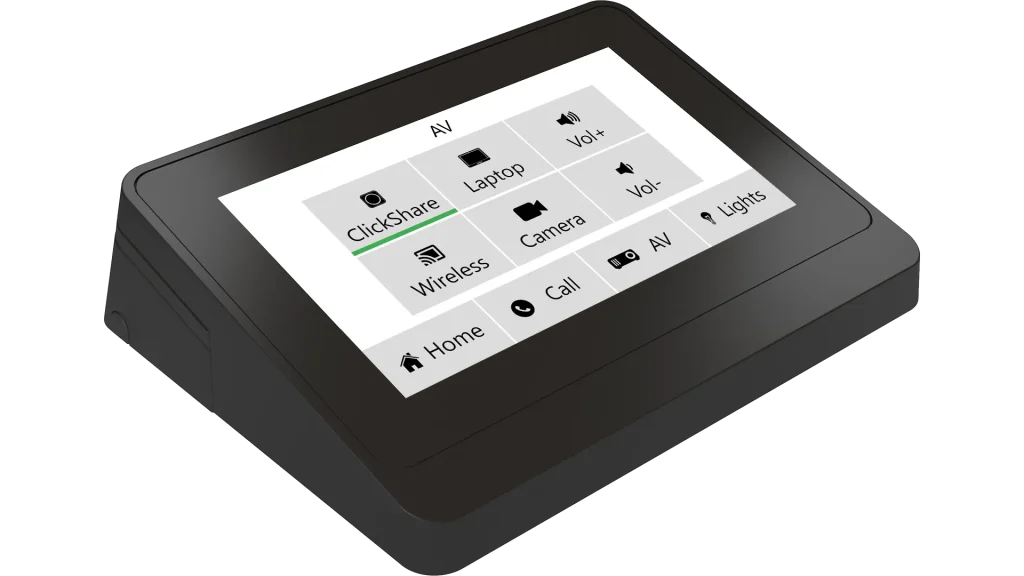
4.3” touch-screen network keypad
Touch-screen display
-
TFT transmissive normally white
-
LED backlight
-
Size 4.3” / 109.2 mm diagonal, wide screen
-
Resolution 480 x 272 pixels
-
Color depth 16.7 M
-
Pixel arrangement – RGB vertical stripe
-
Surface luminance 500 cd/m2
-
Response time 20 ms
-
Contrast ratio 400: 1
-
Pixel pitch 0.066 x 0.198 mm
-
Viewing angle ±70° horizontal, ±70° vertical
-
Projected capacitive touch overlay
-
Edge-to-edge front glass
Buttons
-
System Default
Memory
-
RAM 8 MB
-
Internal non-volatile flash 1 MB
Firmware
-
Dedicated touch-screen keypad application
-
Admin Web for setup
Network
-
10/100 BaseT LAN, RJ-45 connector
-
Communication uses UDP/1900, UDP/33333, UDP/53129, TCP/80, and TCP/53128 ports. All these ports must be enabled in router / firewall settings.
Power supply
-
Power over Ethernet (PoE), 802.3af / Class 0 compatible
-
Power consumption max. 2.7 W
-
PoE Adapter can be ordered separately (product code CS0327)
Physical
-
Plastic enclosure
-
Tabletop and on-wall mounting accessories delivered
-
Multisurface, e.g. glass wall installation
-
Compatible with VESA standard 75 mm x 75 mm
-
Protection IP30
-
Dimensions 128 x 102 x 35 mm / 5.0” x 4.0” x 1.4”
-
Weight 0.2 kg / 0.4 lb
Environment conditions
-
Operating temperature 10° to 40° C
-
Storage temperature 0° to 60° C
-
Relative humidity 10% to 90% non-condensing
Mechanical description


Main Features
-
Touch-screen network keypad with the user-defined layout
-
4.3” active color LED illumination to display
-
Projected capacitive touch overlay
-
Max. 32 buttons divided into max. 4 pages
-
Page navigation using the bottom or side menu
-
Page layout with 4, 6, or 8 buttons, label for each page
-
Caption, icon, and indicator in each button
-
Ready for different language versions of user interface texts
-
Various button types – pushbutton, repeat, toggle
-
Two programmable bar graphs on each page
-
User-defined colors for the page background, buttons, texts, icons, etc.
-
Simple configuration using Cue Visual Composer driver properties
-
Single cable Ethernet connection with PoE
-
Slim plastic enclosure
-
Edge-to-edge front glass
-
Tabletop or on-wall installation
Description
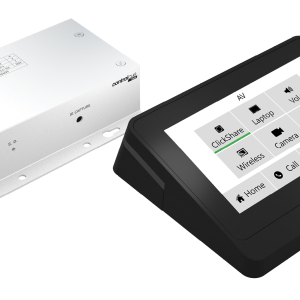
The tapCUE-4 is a wired network touch-screen keypad for tabletop or on-wall installation. It offers a modern design with a 4.3” color LCD display and a slim plastic enclosure. It is a convenient and affordable control panel for any meeting room.
The touch-screen keypad can be easily configured for up to 32 keys divided into up to 4 pages. Each button can contain an icon, a caption, and an indicator. There are several types of buttons available – pushbutton, repeat, and toggle. Page backgrounds, buttons, icons, captions, and labels can be color-coded.
The unit only works with the controller or touch panel. Configuration is very simple and is done by setting the driver properties in Cue Visual Composer (CVC). The appropriate drivers are part of the CVC installation and the complete tapCUE-4 setup is described in the CVC help.
The unit can be installed on a table or on a wall. Accessories for both types of installation are supplied with the unit as standard.
A single cable Ethernet connection provides easy network integration. The unit is equipped with Power over Ethernet (PoE) technology enabling an Ethernet network cable to deliver both data and power.
Application diagram

The tapCUE-4 connects to a local data network equipped with PoE infrastructure. Each tapCUE-4 must have a CUEunit (controller or touch panel) as its owner. In this CUEunit, a driver is then used to communicate with the touch-screen keypad. One CUEunit can communicate with multiple touch-screen keypads. The tapCUE-4 and its owner must be connected to the same LAN.
Installation options
Tabletop installation
The unit can be placed freely on the table and one of the prepared cable bushings can be used to lead the network cable.
If you want to fix the unit and hide the cable, you need to drill a hole in the table to pass the cable. The unit can then be fixed with a round attachment, screw, and nut.
On-wall installation
The unit is installed on the wall using an on-wall adapter, typically on a standard electrical installation box with a prepared network cable. The adapter is fixed directly to the electrical box with screws. Installation is possible even without an electrical installation box.